


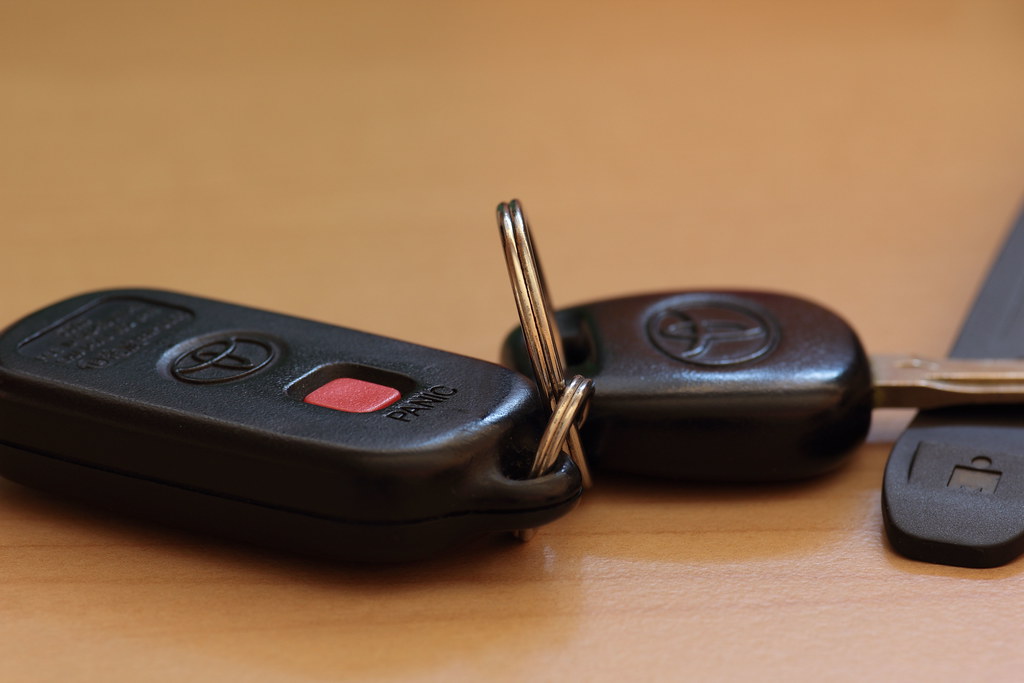
- Metal-key ignitions often support owner programming; Smart Key push-button models usually require dealer tools.
- After a coin-cell swap, try a quick re-sync before full programming.
- Need help fast? Schedule Toyota key-fob service online in Jacksonville.
Programming a Toyota key fob depends on the security system in your vehicle and the type of key you have. The guide below helps you decide if you can program at home or if you should visit Keith Pierson Toyota for professional programming. It also covers quick re-sync tips after a battery change and the most common pitfalls that cause programming to fail.
Quick Checks Before You Start
- Confirm you have at least one working key or fob for the vehicle now. If yes, adding a spare is usually faster.
- Identify your ignition type. A metal key you turn in the ignition often supports owner programming. Push-button start with Smart Key typically requires dealer tools for new fobs.
- If you only replaced the battery in a fob that already belonged to the car, try a re-sync first. Full programming may not be necessary.
Can I Program This At Home?
- Older Toyota with a metal key and standard remote: Many of these support owner programming using in-vehicle sequences.
- Push-button start with Smart Key: Adding a brand-new fob usually requires dealer-level immobilizer registration. If you only changed the battery in a paired fob, try re-sync steps before scheduling service.
- All keys lost: Plan on dealer programming and cutting a new emergency key blade. Proof of ownership is required.
At-Home Programming: Older Keyed-Ignition Toyotas
Use this sequence when your Toyota has a physical key you turn and the model supports owner programming.
- Sit in the driver’s seat and close all doors.
- Insert the key into the ignition, then remove it. Do this quickly twice.
- Within 40 seconds, insert the key again and turn from OFF to ON. Do not start the engine.
- Within 40 seconds, press any button on the fob for about 1 second. The door locks should cycle to confirm programming.
- To add more fobs, press a button on each additional fob within the same 40 second window.
- Turn the key to ON to exit programming mode and test each fob.
If the locks do not cycle, start over and watch the timing. Low fob batteries and open doors are common reasons the sequence fails.
Re-Sync After a Battery Change
Sometimes a fob that already belongs to the car just needs a quick re-sync after you replace the coin cell.
- Install the correct battery with proper polarity and reassemble the fob carefully.
- Stand near the driver’s door. Press LOCK, then UNLOCK, then LOCK again.
- Test lock and unlock from a few feet away.
- For push-button start, if the vehicle will not recognize the fob, sit in the seat, press the brake, and hold the fob against the START button while pressing it. Then retest the buttons outside the vehicle.
If the fob still does not respond, full programming may be required.
When Dealer Programming Is Required
- You have push-button start and are adding a new Smart Key fob.
- All keys or fobs are lost.
- You see immobilizer or key not detected messages after DIY attempts.
- You purchased a used or aftermarket fob that needs proper resetting and pairing.
- You need the emergency key blade cut to match your locks.
Our certified technicians use Toyota approved equipment to register new Smart Keys to your immobilizer and verify lock, unlock, trunk, panic, and push-button start functions before you leave.
Programming Multiple Fobs
If owner programming works on your model, you can program several remotes in the same session. After the first fob triggers a lock cycle, press a button on each additional fob within the same 40 second window. If the system times out, start again from the top. For Smart Key vehicles, we can add multiple fobs in one service visit.
Common Pitfalls That Prevent Programming
- Wrong battery type or upside down polarity inside the fob.
- Weak vehicle 12 volt battery causing modules to time out.
- Open doors or hood during a programming sequence.
- Using a damaged or incompatible fob.
- Exceeding the 40 second timing windows on older sequences.
Fast Troubleshooting
- Buttons work only when you are very close: Replace the coin cell and clean the battery contacts.
- Push-button start does not recognize the fob: Try the hold the fob to the START button method. If it works, the fob battery was likely weak.
- No lock cycle during programming: Restart the sequence and confirm all doors are closed and timing is on target.
- Still stuck: Visit our service lane. A quick scan will show if the car is in learn mode, if the fob is transmitting, or if immobilizer registration is needed.
Why Program With Keith Pierson Toyota
- Fast confirmation of the correct fob by VIN.
- Factory level immobilizer registration for Smart Key vehicles.
- Emergency key blade cutting and testing on site.
- Help verifying your Toyota app settings related to key functions.
- Convenient options to add a spare so you are never locked out. See current service specials.
Get Programming Help in Jacksonville
If you want this handled quickly and correctly, visit Keith Pierson Toyota in Jacksonville or contact our service team. We will confirm what your vehicle supports, program your fob the right way, and make sure everything works before you head out.
FAQs
Can I program a Toyota Smart Key at home?
If your Toyota uses push-button start with Smart Key, adding a brand-new fob usually requires dealer immobilizer registration. Re-sync may help after a battery swap, but new fobs should be programmed by a dealer.
What should I try after replacing the fob battery?
Stand near the driver’s door and press LOCK, UNLOCK, then LOCK again. For push-button start, hold the fob against the START button while pressing it. If it still fails, full programming may be required.
When do I need dealer programming for a Toyota key fob?
You’ll need dealer programming if all keys are lost, you’re adding a new Smart Key fob on a push-button start vehicle, or you see immobilizer/key not detected messages.
Image Credit: “Keys” by John Loo is licensed under CC BY 2.0.
Connect with us


